In previous posts extolling the benefits of harnessing technology within your fishing, I’ve touched on using phones to generate effective, always at hand fishing logs. Since Apple added the “@” tag into their Notes app, I’ve been using it for the creation of simple databases, using this puts your fishing log on steroids!
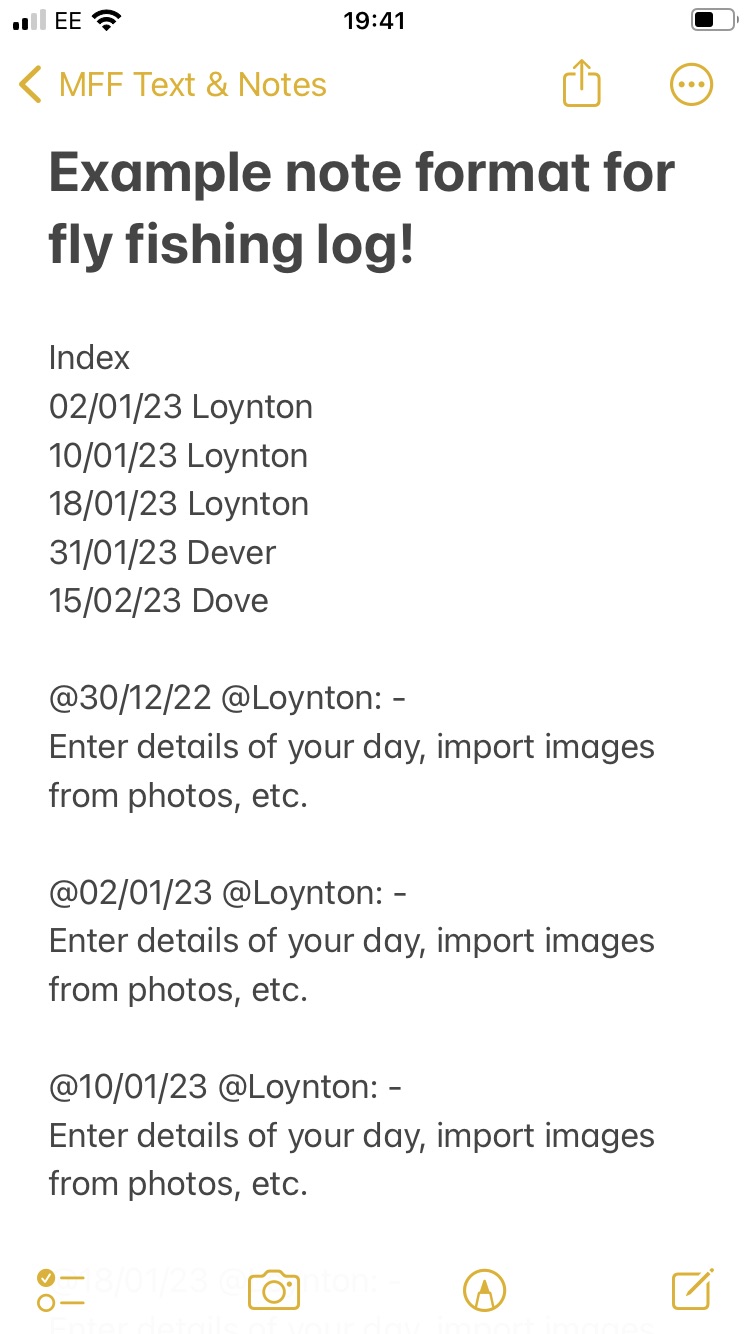
This simple configuration consisting of fishing date and venue in the index serves as a guide. The same information is then repeated as a title of your entry with “@“ before both the date and venue, allowing searches to be date based and/or venue specific. Simply click the circle with three dots in it (top right corner of phone screen), then select magnifying glass icon, enter search term e.g. “@Loynton”.
With time this evolves into a very powerful tool, especially if you take the medium and long term perspectives. E.g. compare month on month across years. Look for winning combinations at certain seasons and/or venues, spot patterns to improve your fishing and results, etc. You can even share it with fishing friends, each of you making entries in different colours to share experiences and build the database faster and better.
These are all options, try it, play with it, see what you can achieve and above all have fun!
SJY